Recipe Management
Keep recipes organized in one list with photos. Reference and archive them with ease — the recipes in your head become an asset.
 Vibes Kitchen
Recipe management and food costing, born from the voices of chefs.
Keep your recipes organized with photos while cost, cost ratio and a suggested price are calculated for you. From idea notes to order lists and sub-recipes, it fits the realities of the kitchen.
* Android is in closed testing.
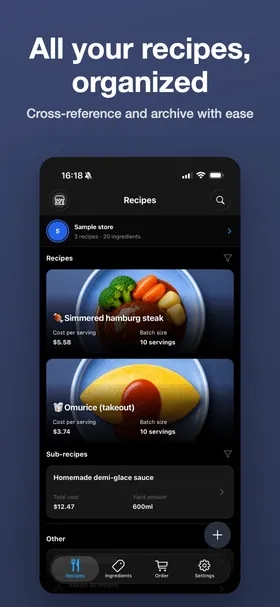
Recipe Management
Keep recipes organized in one list with photos — costs and batch sizes included.
Saved together with a photo of the finished dish. Easy to find, easy to review.
Register sauces and stocks as components and nest them into other recipes.
Hide recipes you don’t use and keep each store tidy.
Enter how much you’re making and ingredient amounts convert automatically — one-tap ×2 / ×3.
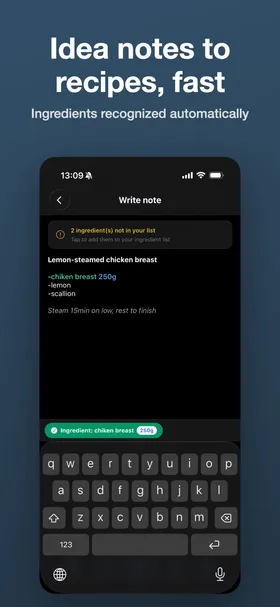
Idea Notes
Whether mid-service or late at night, open the tab and start typing right away — no save button needed. The app reads ingredients and amounts as you write, ready to become a recipe in one tap.
The Ideas tab opens straight into typing and saves automatically — jot the idea the moment it strikes. You can attach a photo too.
Write bullets like “- chicken breast 250g” and the name and amount (g, ml, tbsp…) are picked up automatically.
Registered ingredients are suggested and completed with a tap; enter an amount and units appear as chips — quick even one-handed.
The first line becomes the recipe name and bullet lines become ingredients — costing follows. Edit the note later and the changes flow into the recipe.
Food Costing
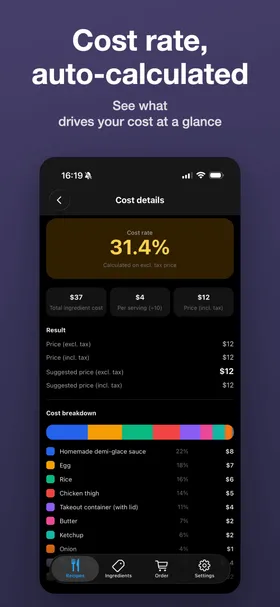
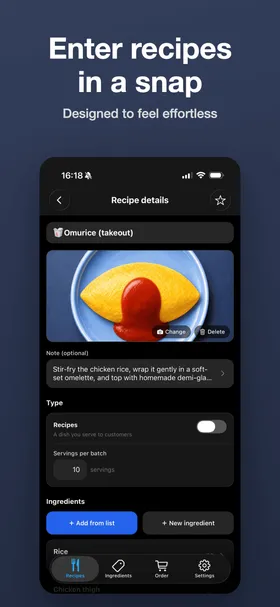
Pick ingredients and amounts, and everything from per-serving cost to cost ratio is calculated — always up to date. No more wrestling with spreadsheets.
Just pick ingredients and amounts. Units convert automatically — even tbsp and tsp.
Cost ratio from a target price, or a suggested price from a target ratio.
A per-ingredient chart shows exactly where the cost goes.
Shopping & Ordering
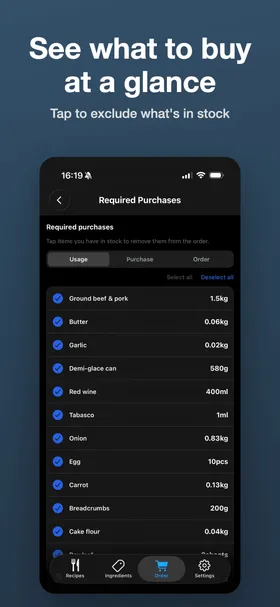
Enter how many servings you’ll make, and the purchases you need and the order total are aggregated automatically.
Tap to drop items already in stock — only what you need to buy remains.
Per-recipe tax settings keep order totals accurate.
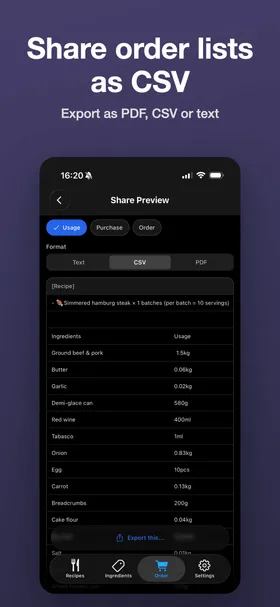
Export an order sheet and send it as is.
Sync & Export
From exporting recipes to syncing across devices, your data stays safe and portable.
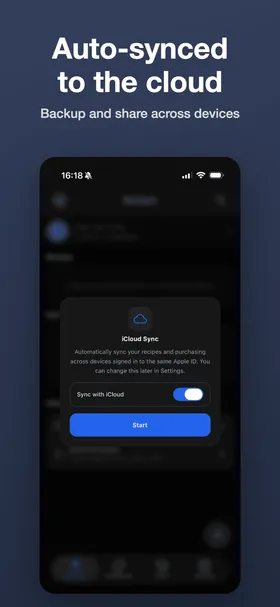
iCloud (iOS) and Google Drive (Android) keep every device on the same data.
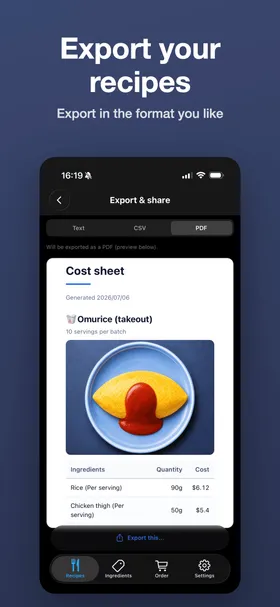
Print recipe cards and prep sheets as PDF and more.
Export a store as a single file, photos included, and pass it to staff or another device.
Keep recipes organized in one list with photos. Reference and archive them with ease — the recipes in your head become an asset.
Capture dish ideas the moment they strike. Ingredients are recognized from your bullet points, and a note becomes a recipe in one tap.
Auto-calculate unit price from purchase price and quantity. Adjust for yield loss and track price history on a chart.
Total cost from ingredients and amounts used, with automatic conversion between purchase and usage units — even tbsp and tsp.
Cost ratio from a target price, or suggested price from a target ratio. Results are color-coded for a quick read.
Enter how many servings you’ll make and the purchases you need — and the order total — are aggregated automatically, with tax-included / tax-excluded support. Export an order sheet as PDF or CSV.
Enter how much you’re making — servings or yield — and ingredient amounts convert automatically, with one-tap ×2 / ×3 multipliers. Works on shared view-only recipes too.
Register prep items as components and nest them into other recipes. Circular references are detected automatically.
Manage purchases, recipes and costs per store, with color-coding and quick switching.
Share recipes with your staff one at a time or all at once — recipients get a view-only copy. Add a distribution version so everyone can confirm they have the same one, with NEW / Updated badges when a recipe changes. A whole store can also be exported as a single backup file, photos included.
Works with iCloud (iOS) and Google Drive (Android). Your recipes and ingredients stay in sync across devices on the same account.
Set allergens per ingredient and the allergens in each recipe are tallied automatically. Removal confirmations and a review lock prevent accidental changes. Build a menu × item chart, with sets for Japan, the EU and the US.
8 languages and major currencies. Manage costs abroad in your own language, local currency and regional units.
Built for team workflows: a chef prepares the recipes and distributes them to every staff device for ordering and more. We offer individual quotes by device count and invoice-based billing — get in touch and we’ll talk it through.
The iOS version is available on the App Store. We’re recruiting testers for the Android closed test.
Download on the App Store Become an Android tester